This article explains how to set exceptions to the standard days on which carriers pick up orders from your warehouse.
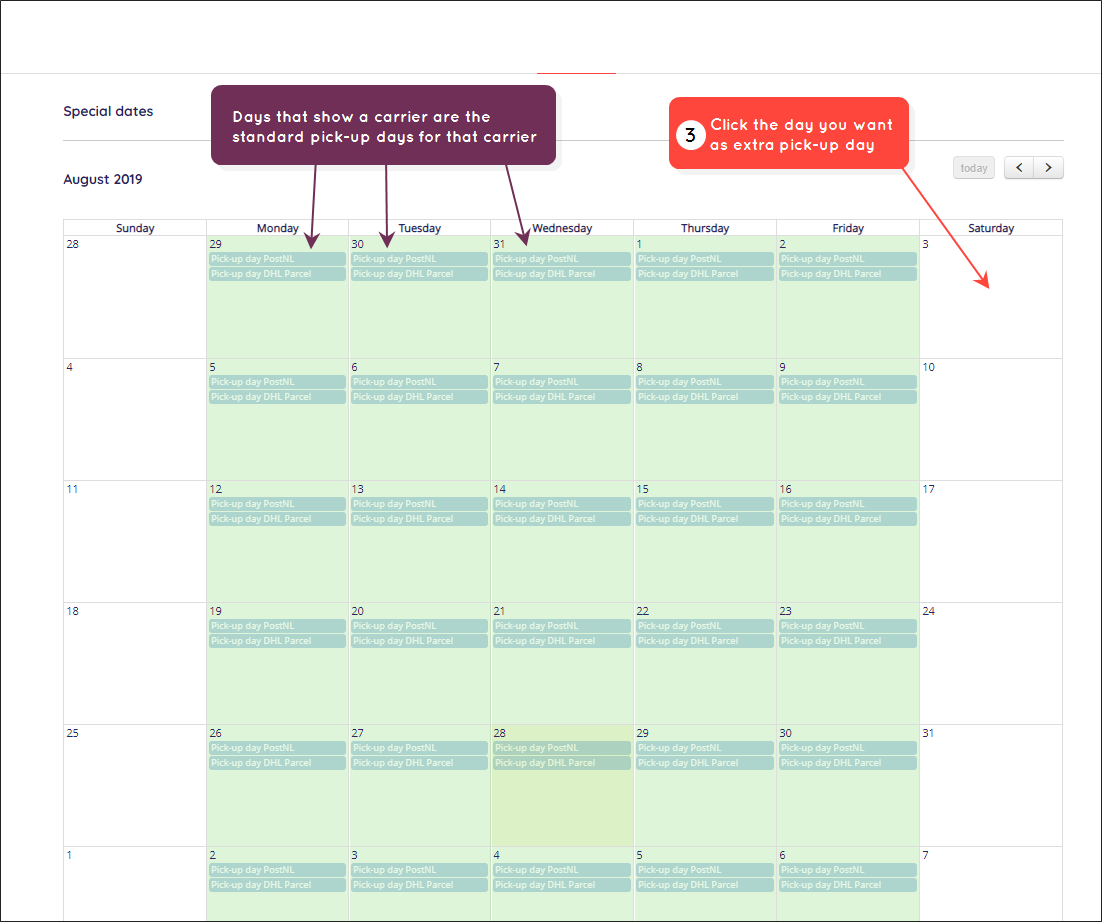
The "Special dates" page is where you specify exceptions to the standard settings you configured on the Delivery dates page with respect to when carriers pick up orders from your warehouse. Paazl takes the settings on this page into account when calculating possible delivery days.
Here are three common scenarios where you might need to make exceptions:
- If there is a public holiday, such as Christmas or New Year, when a carrier will not be collecting orders.
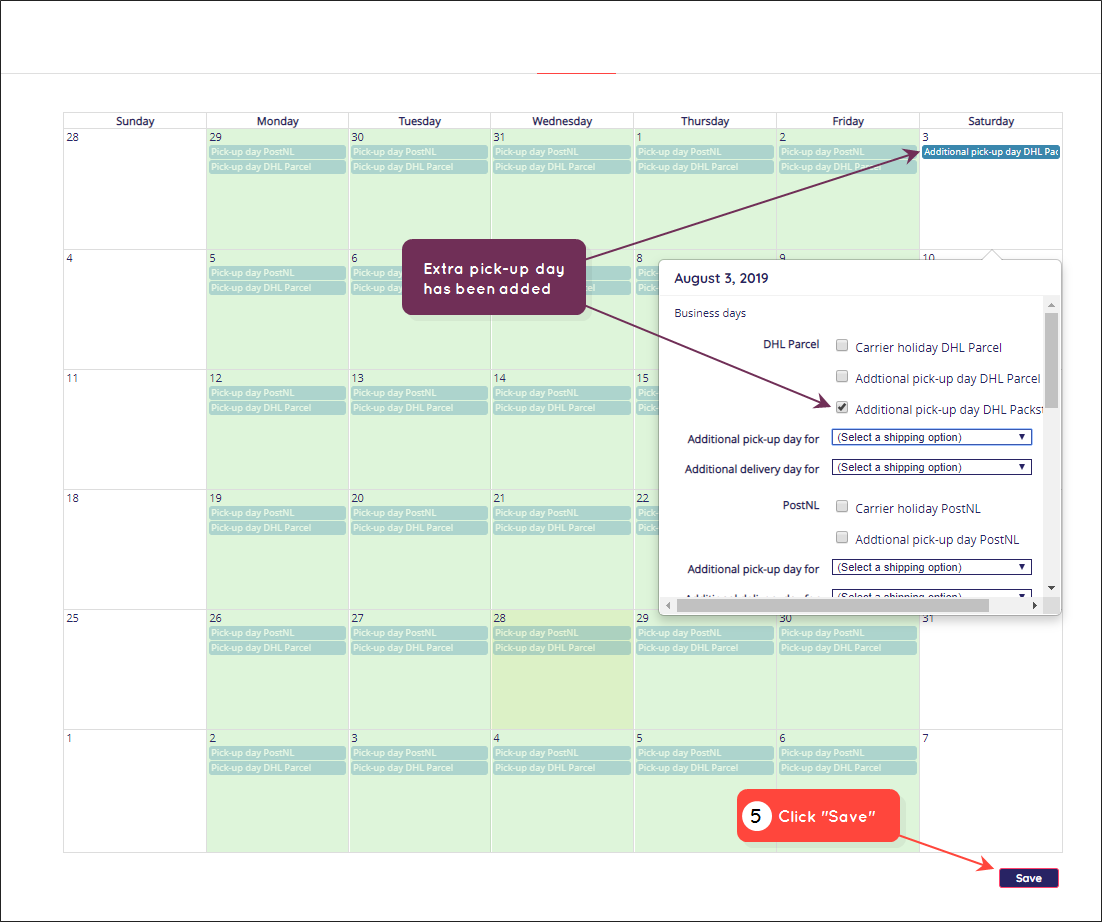
- If you need to add an additional pick-up day, such as a Saturday, due to special events (for example, Black Friday), even though the carrier normally only picks up orders on weekdays.
- In case your warehouse is closed on a certain day and you need to let Paazl know that you can't pick up your order.
Note
The carriers and shipping options you see on this page are those you've already set up for pick-up days on the "Delivery dates" page.
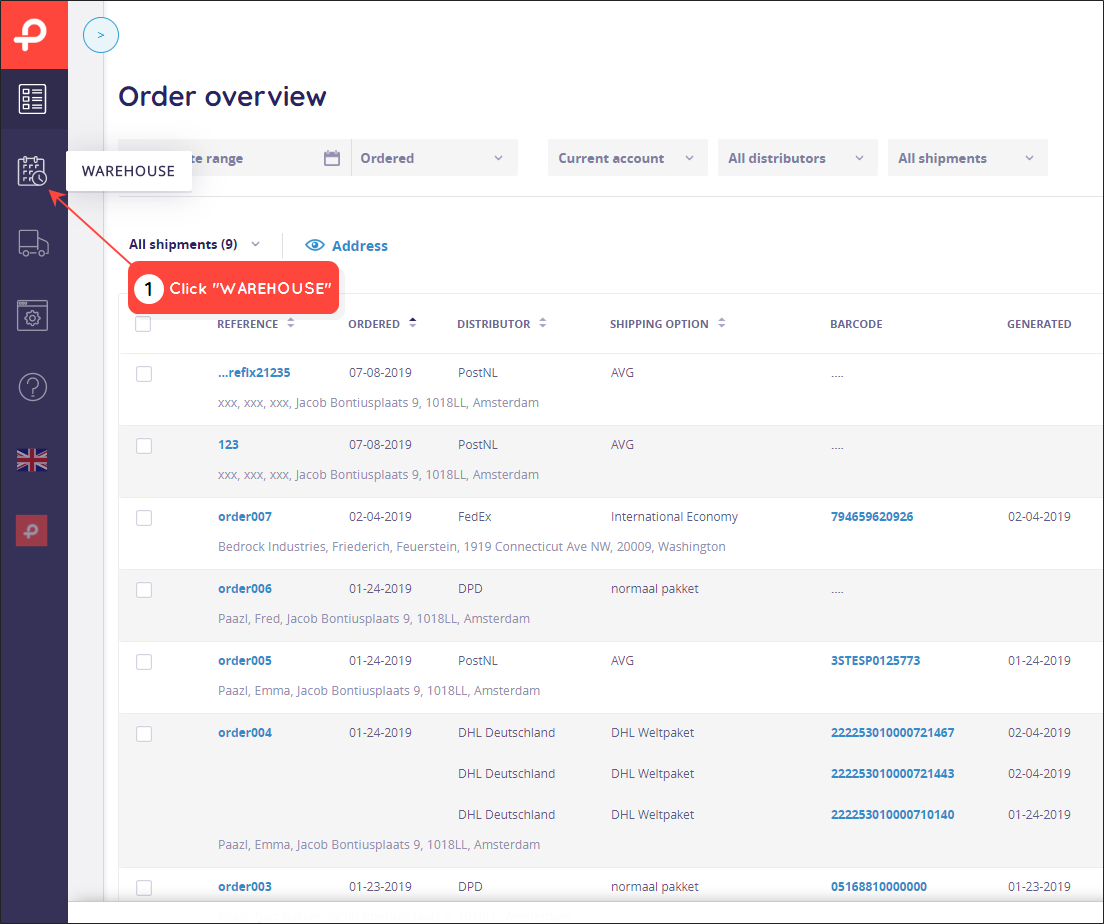
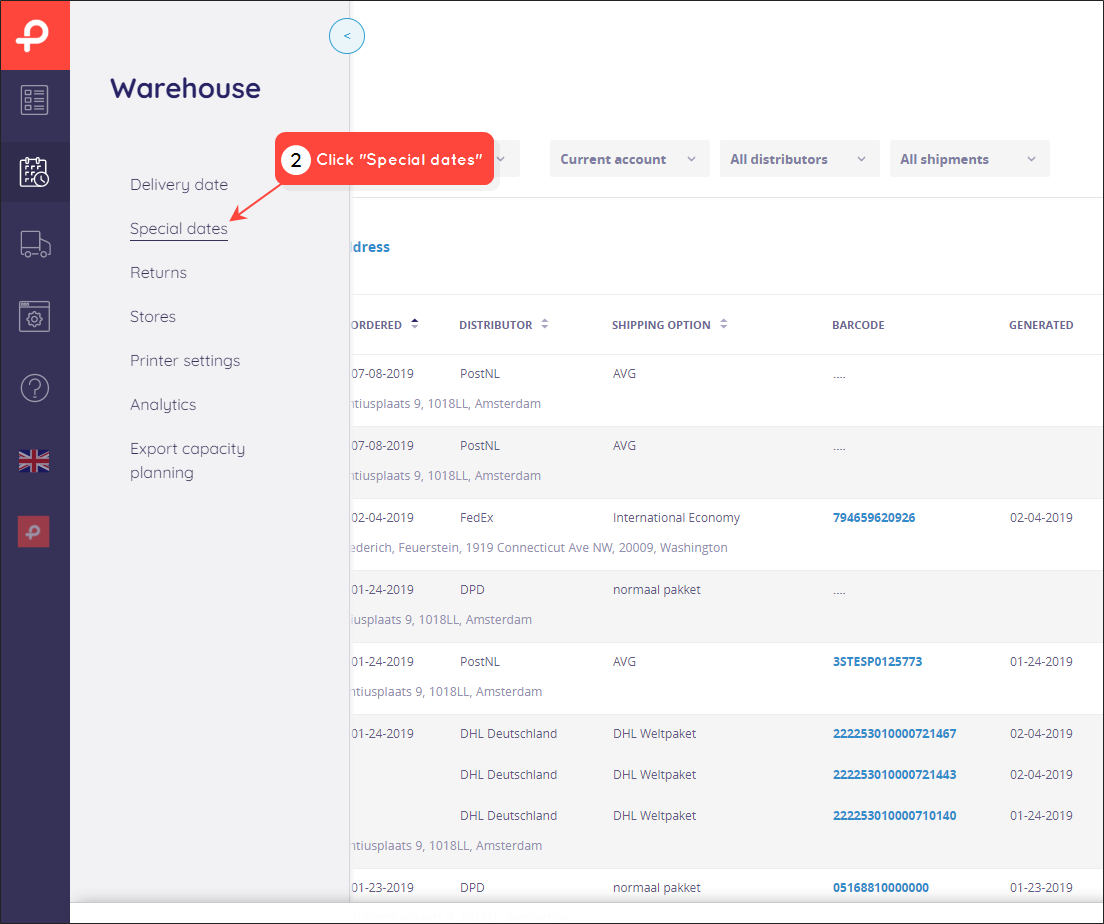
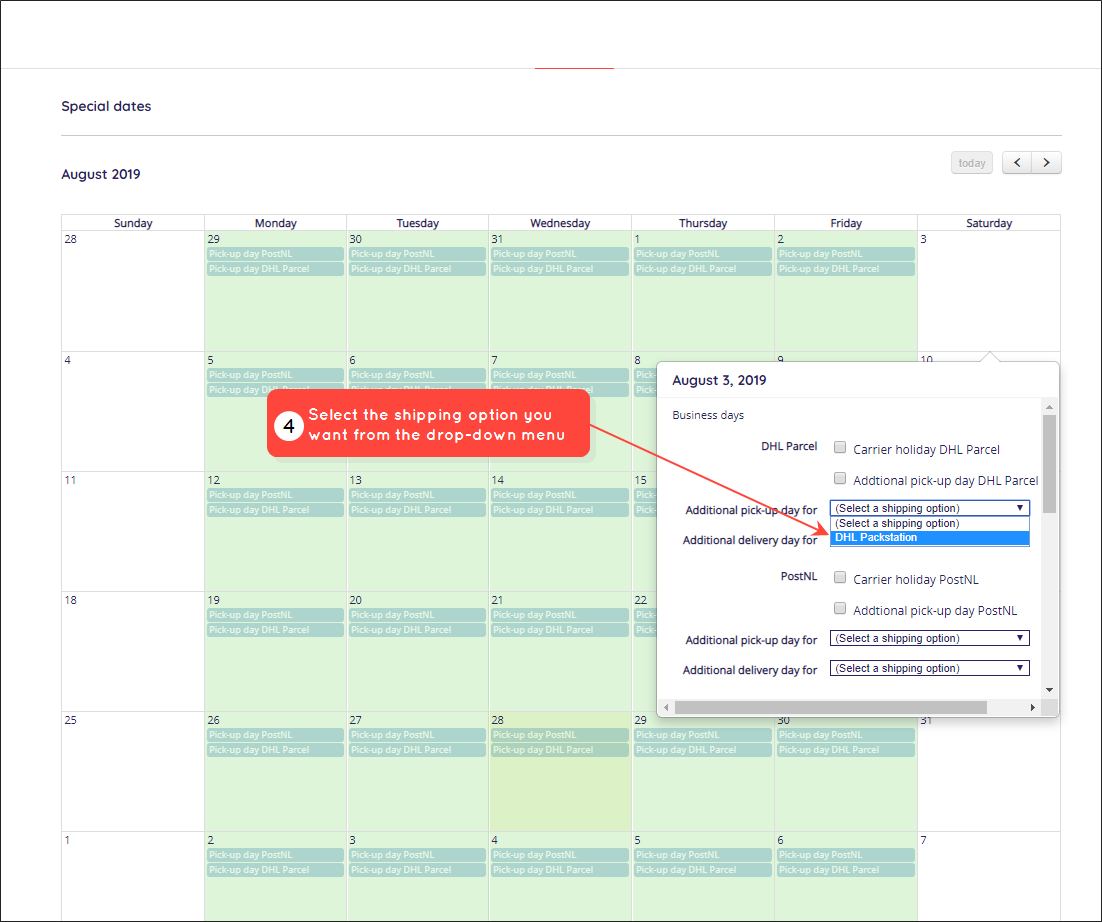
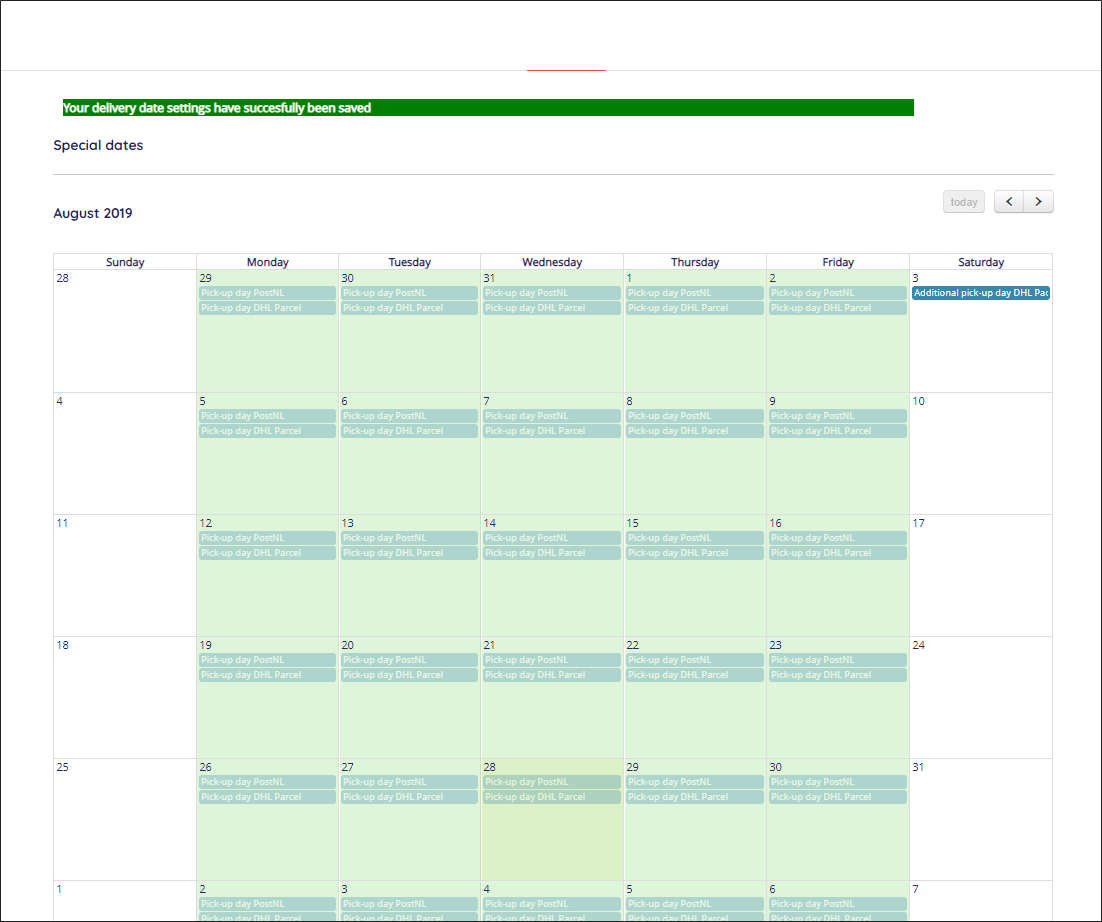
To create exceptions to carrier pick-up days, log into your Paazl web app account and follow the steps below. In this example, we will create an extra pick-up date.
Was this article helpful?
That’s Great!
Thank you for your feedback
Sorry! We couldn't be helpful
Thank you for your feedback
Feedback sent
We appreciate your effort and will try to fix the article